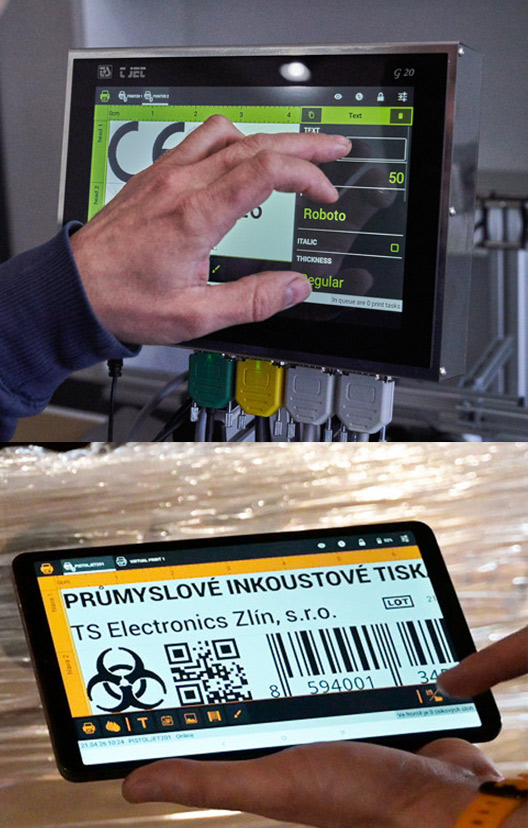
Finger-controlled printing

Everything you need for fast and reliable printing
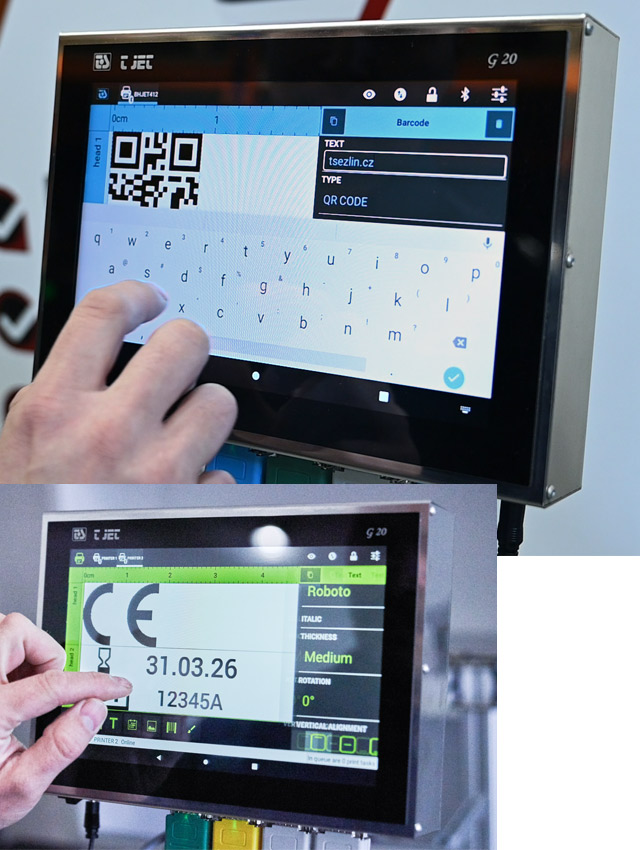
APK Printcontroller is designed for touch control from a tablet or control unit. The main screen combines the print field, print objects, printer tabs, status information and print control.
Intuitive operation

The clear interface can be mastered by the operator in a few minutes. No complicated programming or lengthy training.

Printing texts, graphics and codes

Easily create a print job with text, date, time, counter, graphics, image or barcode.

Variable data

Print the current date, time, serial numbers or other variable data. Depending on the configuration, batch data from a CSV file can also be used.

Manage multiple printers

You can control and monitor multiple printing units from one tablet/control unit. With Bluetooth configuration, up to 16 printers can be connected.

Wireless and network connection

Printcontroller supports Bluetooth, Wi-Fi, Ethernet and in selected configurations also USB connection.

Saving print jobs

You can save the jobs you create, reload them at any time and quickly edit them for the next product or production series.
From idea to finished print in just a few steps

How does the Printcontroller APK software work?
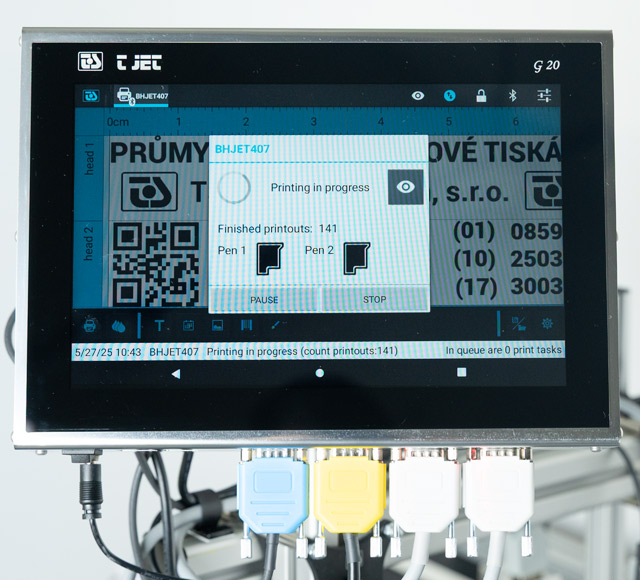
APK Printcontroller concentrates the creation of print jobs, printer control and operation control into one clear interface. The operator works directly from the tablet or control unit, where he can select a printer, create a new job or load an already saved template. The print can then be easily edited, started and continuously checked without the need for complex programming.
Thanks to this, the operator has the entire process from job preparation to printing under control from one place. The operator has simple control available. The service worker gains access to parameters that are important for the precise setting of the printing system.
  • Select a printer Select the printing unit you want to work with.
  • Create or load a print job Add text, date, time, counter, graphic, image or barcode. Alternatively, load an already saved job.
  • Set print parameters Adjust, for example, the size, orientation, resolution, number of repeats or printout location.
  • Start printing After checking the preview, send the print job to the printer with a single touch.
  • Monitor the print status On the main screen, you can see whether the printer is online, printing, paused or requires checking.

Reliable printing at both constant and variable speeds

Adapts to your production method
APK Printcontroller supports various print control methods depending on the nature of the production line. This allows the software to be adapted to different production and packaging lines.

SPEED – for constant speed

If the conveyor speed does not change, printing can be controlled using precise timing. Simply set the speed of the product in front of the print head.

ENCODER – for variable speed

If the conveyor speed changes, slows down or the line stops, ENCODER mode can be used. Printing is controlled by pulses from an incremental encoder, so it adapts to the current conveyor speed.